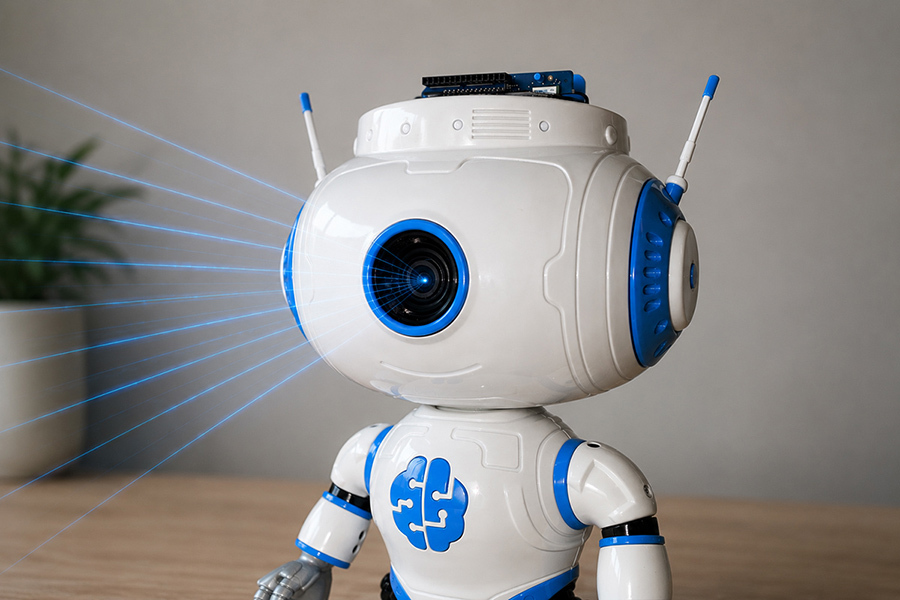
How Computer Vision Works on the JBR-001
The basic computer vision workflow on JBR-001 is straightforward. The camera captures images of the environment in front of the robot. These images are processed on the Arduino® UNO™ Q using a trained computer vision model. The model identifies what it sees, and JBR-001 can use the result to decide what to do next.
The complete workflow looks like this:
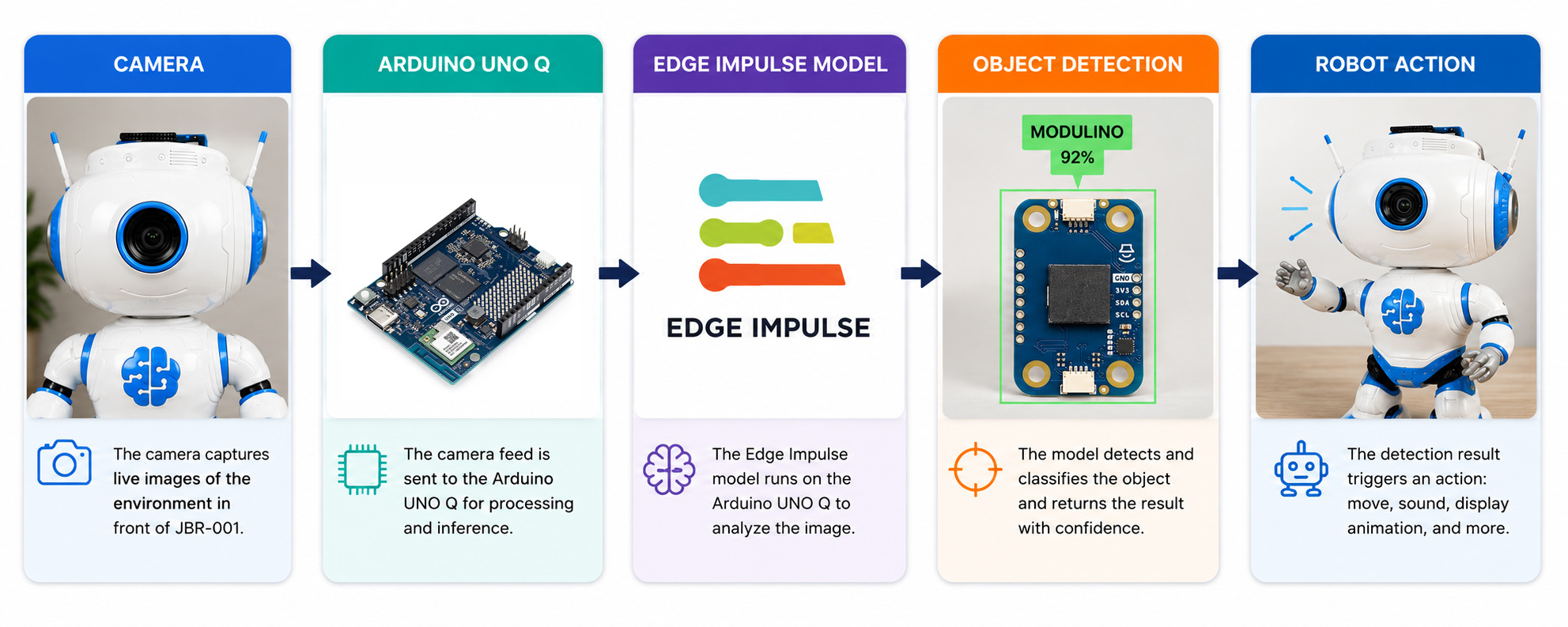
Camera, Arduino® UNO™ Q, Edge Impulse model, object detection, and robot action
Once an object has been detected, the result can be connected to any of JBR-001's physical outputs. The robot can move its head or arms, play a sound, change its display, or combine several actions into a single reaction.
This separation also makes JBR-001 easy to experiment with. The computer vision model determines what the robot can recognize, while your application determines how the robot reacts.
What Are We Going to Detect?
For our example, we trained JBR-001 to recognize different modules from the Arduino® Modulino™ family.
When a Modulino™ is placed in front of JBR-001's camera, the computer vision model analyses the image and identifies which Modulino™ it sees. The detection result can then be used by the application to trigger movement, sound, display animations, or other behaviours.
For this project, we used an Arduino® Modulino™ dataset, which is publicly available on VisionDatasets.com.
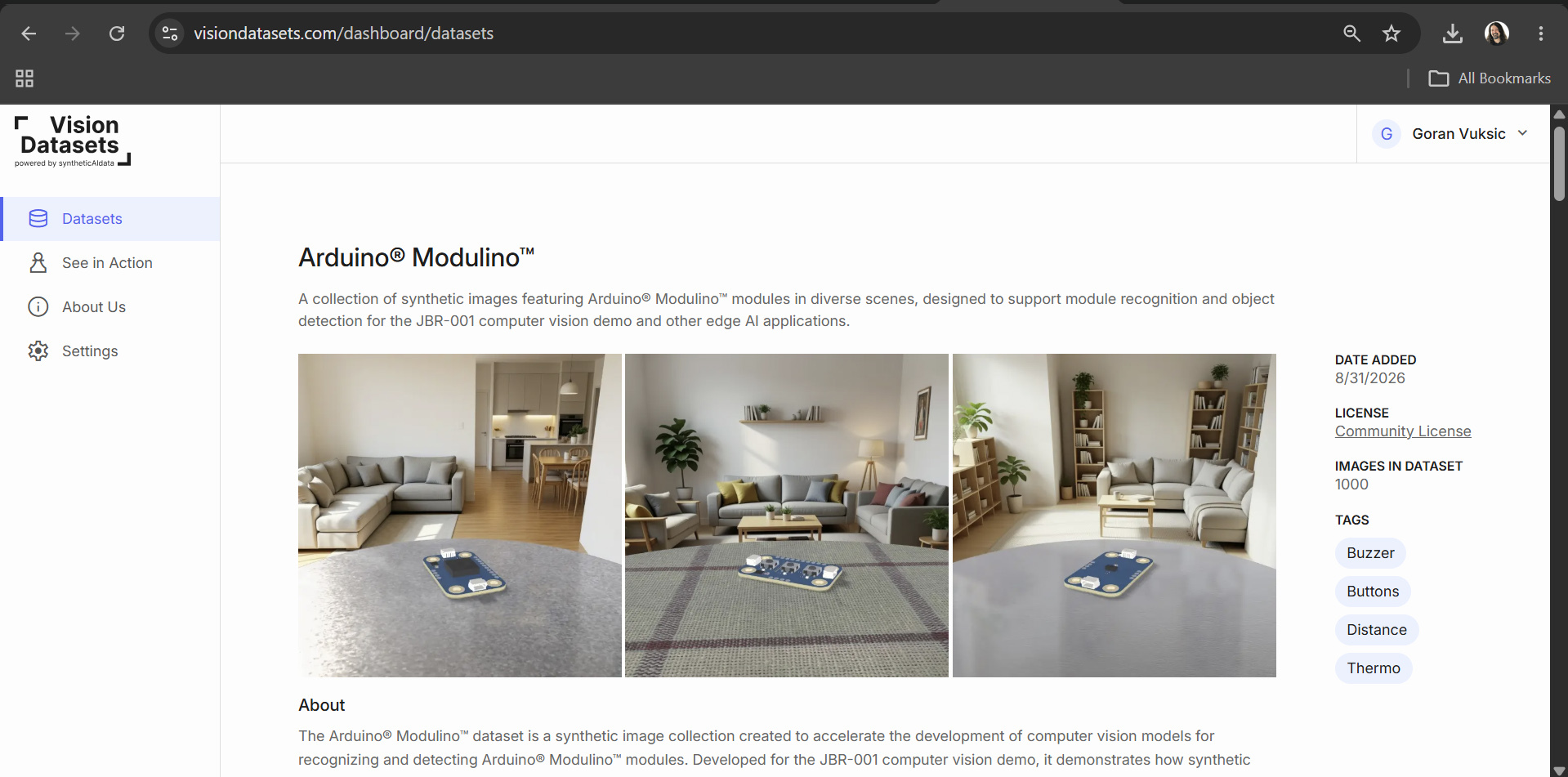
Synthetic images of Arduino® Modulino™ modules used to train the JBR-001 object detection model
The dataset contains synthetic images of different Modulinos across a variety of positions, orientations, backgrounds, lighting conditions, and other visual variations designed to help the model recognize the objects when they are presented to the real camera.
The same workflow isn't limited to Modulinos. By changing the dataset and training a new model, JBR-001 can be taught to recognize completely different objects.
Importing the Dataset into Edge Impulse
For training and deploying our computer vision model, we use Edge Impulse.
Vision Datasets integrates directly with Edge Impulse, allowing the Arduino® Modulino™ dataset to be transferred directly into an Edge Impulse project without manually downloading, organizing, and uploading the images.
Open the Arduino® Modulino™ dataset on VisionDatasets.com and select Upload to Edge Impulse.
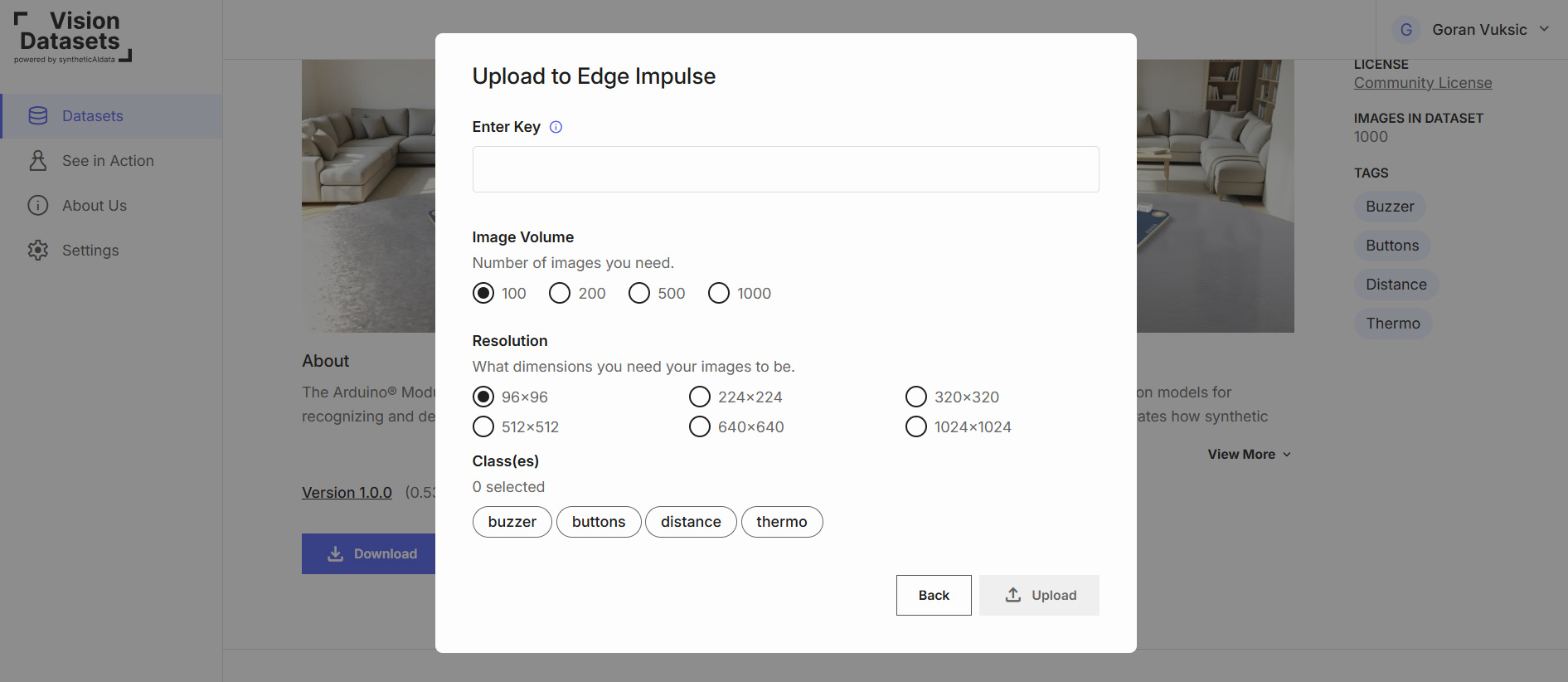
Choosing image volume, resolution, and Modulino™ classes before uploading to Edge Impulse
Provide the API key for your Edge Impulse project and select the number of images, image resolution, and Modulino™ classes you want to include.
Once the upload is complete, the images appear under Data Acquisition in Edge Impulse, already labeled and ready to use.
You can find a complete walkthrough of the integration in the official Edge Impulse documentation.
Training the Model with Edge Impulse
With the Arduino® Modulino™ dataset available in Edge Impulse, we can create the computer vision pipeline.
Start by opening Data Acquisition and reviewing the imported images. Verify that the different Modulino™ classes are represented correctly and that the training and testing data look as expected.
Next, create an impulse and configure the image processing and learning blocks for the model. Edge Impulse then handles the training workflow using the images imported from Vision Datasets. During training, the model learns the visual characteristics that distinguish the different Modulinos from one another.
The goal isn't simply to recognize the synthetic images used during training. We want the model to generalize to images captured by the real camera installed in JBR-001.
This is where variation in the dataset becomes important. Different object positions, rotations, backgrounds, lighting conditions, and other variations expose the model to a wider range of appearances during training.
Once training is complete, use Edge Impulse's model testing tools to evaluate its performance on images that weren't used during training. The most important test, however, is putting a real Modulino™ in front of JBR-001 and seeing whether the model recognizes it.
Once we're satisfied with the model, we can deploy it to the robot.
Running the Model on the Arduino® UNO™ Q
The next step is to run our trained Edge Impulse model on the Arduino® UNO™ Q.
The camera installed in JBR-001's head provides the image input. The Arduino® UNO™ Q runs inference using the trained model and returns the prediction to our application.
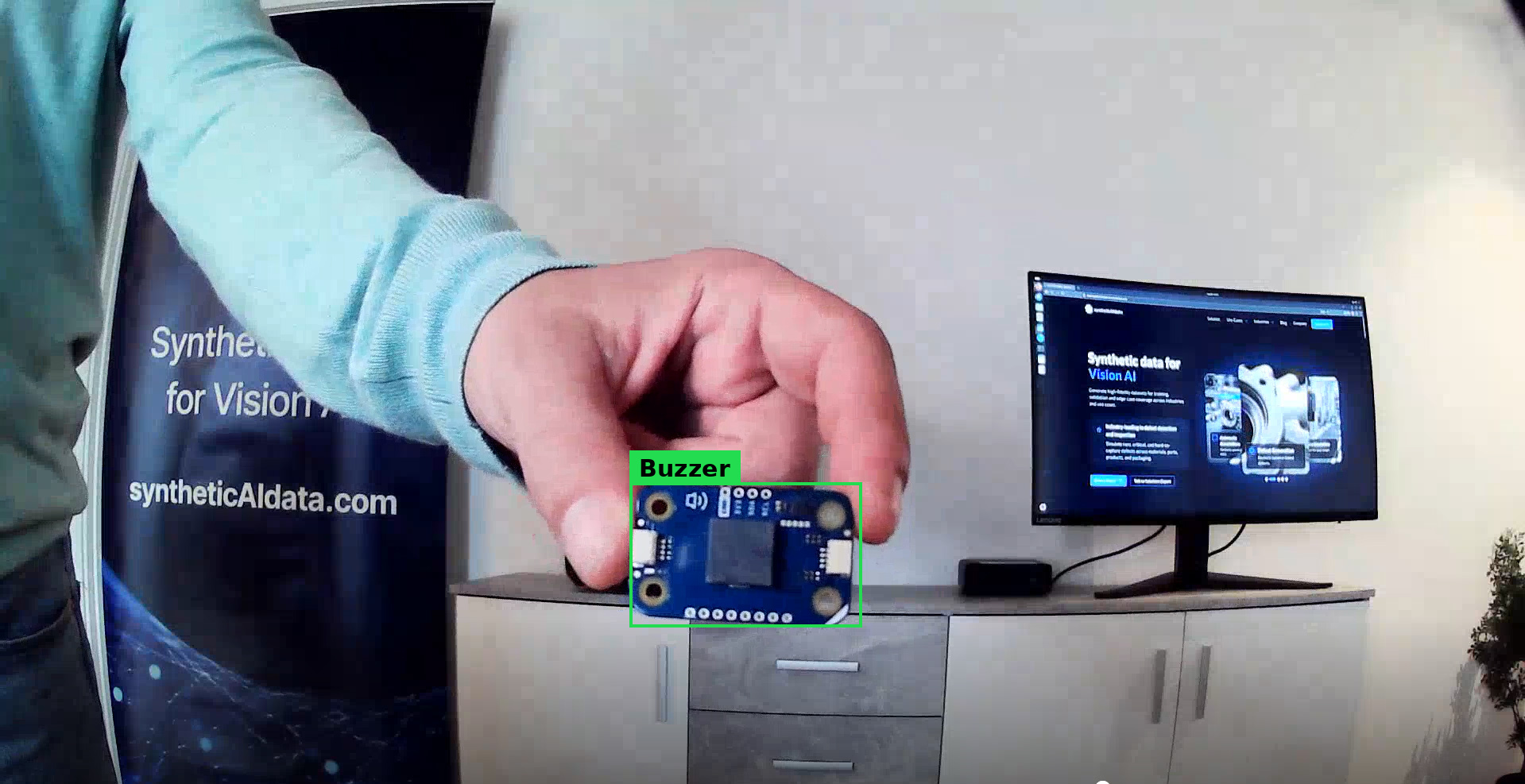
Object detection result from the model running on the Arduino® UNO™ Q
The process can run continuously, allowing JBR-001 to observe what is placed in front of it and react whenever it recognizes one of the Modulinos included in the model.
Connecting Computer Vision to JBR-001
Detecting an object is useful, but the project becomes much more interesting when the detection produces a physical reaction.
JBR-001 already gives us several ways to respond to what the camera sees:
move the head
move the left or right arm
play a sound
change the display animation
We can map the predictions returned by the computer vision model to these behaviors.
For example, when JBR-001 recognizes a Modulino, it could turn its head, raise its arms, play a short sound, and change the animation on its display. Different Modulinos could also trigger different reactions.
The model provides information about what exists in the physical environment, while the Arduino® application translates that information into movement, sound, and visual feedback.
Build Your Own Computer Vision Application
The Arduino® Modulino™ example is only a starting point. The same workflow can be used to teach JBR-001 to recognize completely different objects. You could experiment with recognizing tools, electronic components, everyday objects, or objects specific to your own project.
VisionDatasets.com provides ready-to-use computer vision datasets that can be imported directly into Edge Impulse, or you can create and use your own training data.
Once you've trained a different model, the physical JBR-001 platform doesn't need to change. You simply decide what the robot should recognize and what it should do when a detection occurs.
You can also combine multiple detections with different movements, sounds, and display animations to give JBR-001 completely new behaviours.
Conclusion
With computer vision added, JBR-001 goes beyond predefined movements and simple sensor-based interactions. The camera provides information about the world in front of the robot, the computer vision model interprets what it sees, and the Arduino® UNO™ Q connects those predictions to physical actions through JBR-001's display, buzzer, and servo motors.
In this example, we started with the existing Arduino® Modulino™ dataset on VisionDatasets.com, transferred it directly to Edge Impulse, trained a computer vision model, deployed it to the Arduino® UNO™ Q, and connected the results to the robot.
But the Modulino™ model is only one example. Try training JBR-001 to recognize your own objects, create different reactions for different detections, combine computer vision with its distance sensor, or use the platform as the starting point for an entirely new physical AI application.
JBR-001 is open source and designed to be built, programmed, modified, and experimented with.